How to Print a Monogram: DIY Files and Custom Prints
Export an SVG or PDF from a free monogram generator for DIY printing and cutting, or upload your initials to a custom-print shop and order a finished piece. Both routes take under ten minutes to start.
The fastest path to a usable monogram: grab a free SVG from a generator like MakeMonogram if you own a printer or a Cricut, or place a custom order if you want a finished canvas, embroidered towel, or framed print shipped to your door.
Choose your route:
- Download a ready-to-print file — best when you have a home printer, a cutting machine like a Cricut or Silhouette, or a local print shop nearby. You control the timeline and the substrate.
- Order a custom printed piece — best when you want a professional finish on canvas, apparel, or specialty paper without handling files yourself.
Table of Contents
- How do you make a printable monogram in five steps?
- Which free tools make it easiest to generate a printable monogram?
- What file format and settings should you use for printing, cutting, or embroidery?
- What should you expect when ordering a custom printed monogram?
- Which printing method matches your substrate?
- What are the most popular uses for a printable monogram?
- Key Takeaways
- The part most guides skip about monogram quality
- Sensecanvas custom monogram canvas prints: how to order
- Useful sources and tools
How do you make a printable monogram in five steps?
The five-step workflow below produces a ready-to-print SVG, PDF, or high-res PNG in a few minutes, using any free online generator.
- Enter your initials. Most generators accept multiple letters. For a traditional three-letter monogram, the order is first, last (larger, center), first of middle name.
- Pick your layout. Choose from single-letter, stacked, diamond, split-letter, or frame styles. Diamond and circle frames suit wedding stationery; stacked initials work well on apparel.
- Choose a font and frame. Script fonts read well on canvas and paper. Block or serif fonts hold up better at small sizes, like a towel corner or shirt pocket.
- Set your export format and size. SVG for vinyl cutting or laser engraving; PDF for stationery and framed prints; high-res PNG (at least 300 DPI) for photo printing or canvas orders. Set the size appropriately to match your final output.
- Export and test-print. Download the file, then print a draft at actual size on plain copy paper before committing to your final substrate.
What to choose for common projects:
- Stationery and invitations: PDF or high-res PNG, 300 DPI minimum
- Vinyl decals and Cricut cuts: SVG with separate layers for letters and frames
- Canvas wall art: high-res PNG or PDF at the canvas dimensions
- Apparel (heat transfer): PNG with transparent background, mirrored if using iron-on vinyl
Pro Tip: Before you export, zoom in to 200% in the generator preview. If the edges look jagged, you are viewing a raster preview of what should be a vector file. Switch the export to SVG to confirm the file is truly scalable.
Which free tools make it easiest to generate a printable monogram?
A dedicated monogram maker beats a general design app for one reason: the letter-spacing, frame alignment, and export presets are already built in. Starting from scratch in a general tool adds twenty minutes of fiddling.
Quick tool list:
- MakeMonogram exports SVG, PNG, PDF, DXF, EPS, and JPG with instant, watermark-free downloads and custom size options for a range of typical small to medium sizes. No registration required.
- FreemonogramMaker lets you create and download a printable monogram quickly with templates for 1–4 initials and no sign-up.
- SuncatcherStudio walks you through the same five-step workflow (initials, font, frame, format, save) and recommends SVG for scalable output.
- Canva — has monogram templates inside its free tier. It exports PNG and PDF well, but SVG export requires a Canva Pro subscription. Good for stationery; less ideal for cutting machines.
- Icons8 Mega Creator offers large font libraries, decorative ornaments, HEX color control, and precise export settings suited to wedding stationery and branding work.
Format-to-use-case reference:
| Format | Best for | Notes |
|---|---|---|
| SVG | Vinyl cutting, laser engraving, large-format print | Scales without quality loss; works with Cricut and Silhouette |
| Stationery, framed prints, professional print shops | Preserves vector shapes and embedded fonts | |
| PNG | Photo printing, canvas orders, digital use | Use 300 DPI minimum; save with transparent background |
| JPG | Web display, simple photo prints | No transparency; avoid for cutting machines |
| DXF | CNC routing, some laser cutters | Niche format; confirm your machine accepts it |
| EPS | Professional print workflows, older design software | Less common now; PDF usually preferred |
Free generators vary in how they export vector files. Before you commit to a tool, confirm it can export a true SVG if you plan to use a cutting machine or scale the design for large prints.
What file format and settings should you use for printing, cutting, or embroidery?
Pick SVG for any craft or engraving workflow, PDF (or high-res TIFF/PNG) for print, and PNG or JPG for simple photo-based uses. Getting this wrong is the single most common reason a monogram looks blurry or jagged on the final product.
Print-prep checklist:
- Resolution: — 300 DPI for standard print; 150 DPI minimum for large-format canvas (the viewing distance compensates). Never use a 72 DPI screen-export for print.
For print-ready wedding stationery, choose PDF or high-resolution TIFF with embedded fonts or outlined vectors. This prevents font-substitution issues at the printer, where your carefully chosen script font can be swapped for a default if it is not embedded.
Pro Tip: Print one copy at actual size on copy paper and hold it against the final item (a pillow, a card, a canvas) before ordering. Scale issues that are invisible on screen become obvious in thirty seconds with a paper mock-up.
What should you expect when ordering a custom printed monogram?
The typical flow runs like this: you provide your initials (or upload a file), the shop generates a digital proof, you request any revisions, approve the proof, and production begins. Shipping follows once the piece is complete.
Common shop requirements:
- Accepted file types: SVG or PDF for vector-based orders; PNG at 300 DPI minimum for raster orders
- Recommended minimum size appropriate for the item; full canvas dimensions for wall art
- Embroidery: shops digitize the design separately. Your SVG or PDF is the starting point, but the shop converts it to a stitch file. Professional shops handle single-item personal orders and price digitizing based on stitch count and complexity.
- Wholesale or bulk orders may require a resale certificate and minimum quantities.
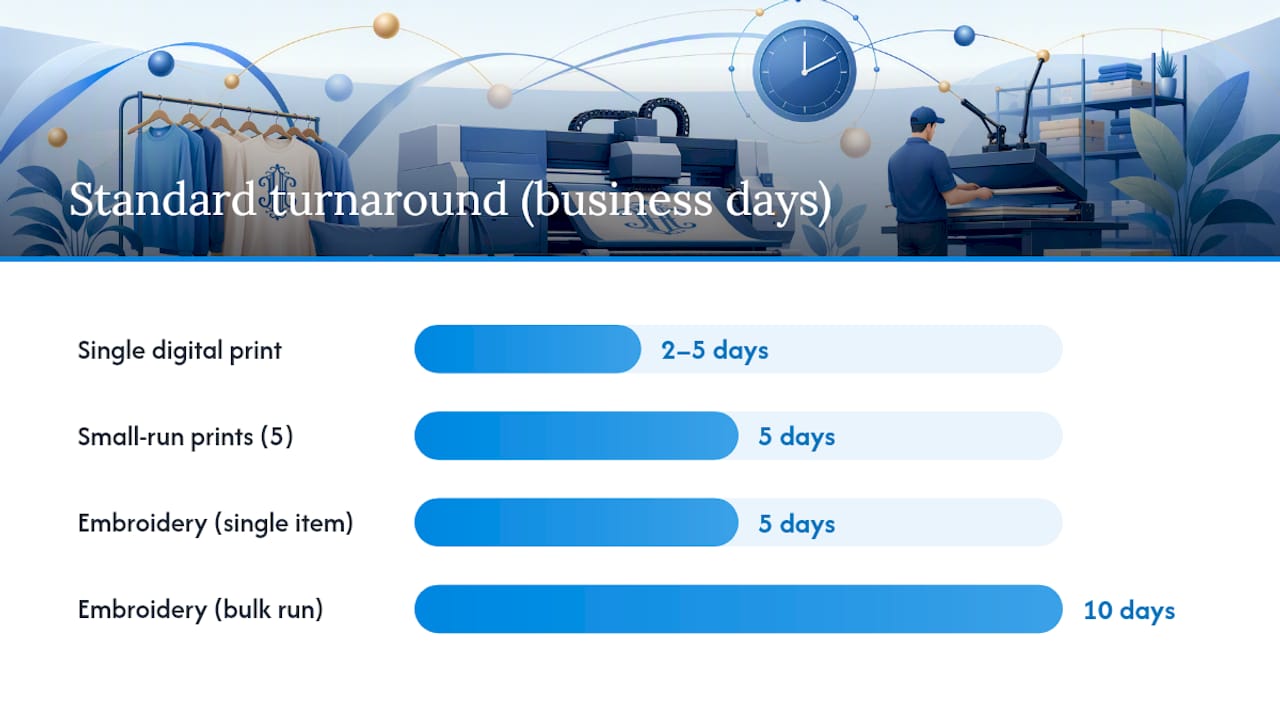
Typical turnaround times:
| Order type | Standard turnaround | Rush option |
|---|---|---|
| Single digital print (paper/canvas) | 2–5 business days | 1–2 business days |
| Small-run prints (5 pieces) | 5 business days | 3–5 business days |
| Embroidery (single item) | 5 business days | 2–3 business days |
| Embroidery (bulk run) | 10 business days | 5 business days |
On proofs and revisions: Most shops include one or two rounds of revisions in the base price. A proof shows your initials, layout, color, and size at actual scale. Review it carefully — check letter order, font, and spacing before approving. Changes after production begins typically carry an additional fee, and well-prepared orders with correct artwork attached from the start move through production significantly faster.
Specialty shops will digitize and prepare artwork for screen printing, embroidery, and direct-to-garment methods. Digitizing complexity, stitch count, and garment type all affect the final price.
Which printing method matches your substrate?
Substrate dictates method. Canvas and paper take digital inkjet or laser print; vinyl and decals use cut vinyl or UV printing; apparel works best with embroidery or heat transfer. Choosing the wrong method for a material wastes money and often ruins the item.
Substrate-to-method mapping:
- Canvas (wall art): — Giclée or dye-sublimation digital print. Produces rich color and fine detail. File type: high-res PNG or PDF. Durable for decades indoors.
Pro Tip: Towel corners and shirt chest pockets are small. A monogram that looks great at 6 inches becomes illegible at 1.5 inches if the font has thin strokes or tight spacing. Scale down your design in the generator and preview it at the actual placement size before ordering.
Placement and scale matter as much as method. A canvas center monogram covers a significant portion of the canvas width; towel corner monograms are small, and shirt chest pocket monograms are medium sized.
What are the most popular uses for a printable monogram?
Wedding invitations, personalized gifts, nursery wall art, vinyl decals, and custom apparel are the five most common uses, and the same digital file often works across all of them with minor format adjustments.
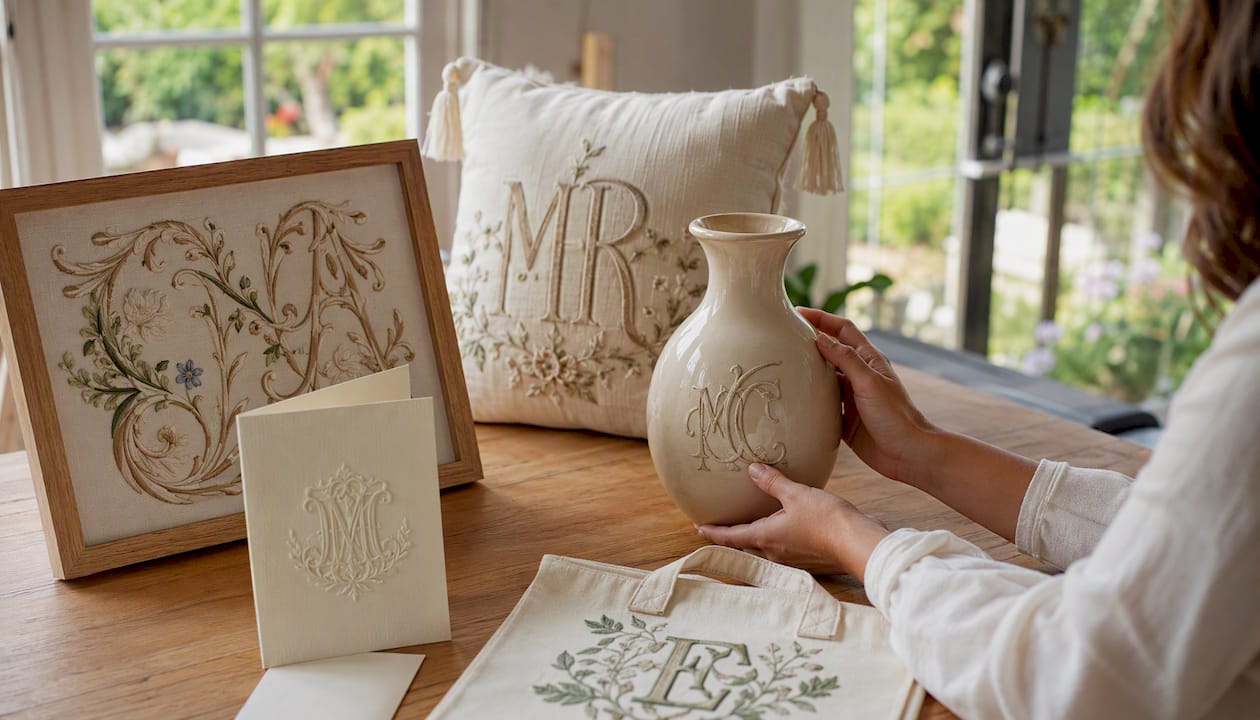
Wedding invitations and stationery call for a diamond or interlocking three-letter monogram. Export as PDF with bleed and embedded fonts. The traditional order places the bride’s first initial left, the shared last initial center (larger), and the groom’s first initial right.
Personalized gifts (mugs, tote bags, cutting boards) usually need an SVG for vinyl application or a high-res PNG for sublimation printing. A single bold initial in a circle or wreath frame reads well at small sizes.
Nursery and home decor art translates beautifully to canvas. A stacked two-letter or single oversized initial in a soft script font works well as a focal point. Export as a high-res PNG at the canvas dimensions and order through a canvas print service.
Vinyl decals for laptops, water bottles, and car windows need a clean SVG with no stray anchor points. The family name sign styles that use bold serif or block lettering hold up best as cut vinyl.
Custom apparel for sports teams, family reunions, or bridal parties typically uses a stacked or split-letter style. Embroidery handles script well at 3 inches and above; below that, a block font is more legible.
Key Takeaways
The fastest route to a usable monogram is exporting an SVG or PDF from a free generator for DIY projects, or uploading your initials to a custom-print shop for a finished product.
| Point | Details |
|---|---|
| Choose the right format | SVG for cutting and engraving; PDF or 300 DPI PNG for printing; PNG with alpha for canvas orders. |
| Test before final output | Print at actual size on copy paper to catch scale and spacing issues before committing to your substrate. |
| Confirm substrate first | Fabric type, texture, and heat sensitivity determine whether embroidery, heat transfer, or digital print is the right method. |
| Approve the proof carefully | Check letter order, font, and size before approving; changes after production typically add cost and delay. |
| Sensecanvas for canvas prints | Sensecanvas offers custom canvas wall art with sizing options and a starting price from $85, with personalized name and monogram styles available to order directly online. |
The part most guides skip about monogram quality
Most monogram articles spend all their time on font choices and zero time on the gap between a file that looks right and one that prints right. That gap is where most DIY projects fall apart.
A script monogram that looks elegant at 72 DPI on screen will look like a smudged stamp on a cotton towel if the embroidery shop receives a low-resolution JPG and has to manually redraw it. The shop will charge for that redraw, and the result will not match what you saw on your screen. The fix is simple: always send an SVG or a PDF with outlined vectors. It takes thirty seconds to export correctly and saves hours of back-and-forth.
The other thing people underestimate is scale. A monogram is not just a letter. It is a spatial relationship between a letter, a frame, and the object it sits on. A design that works at 8 inches on a canvas looks completely different at 1.5 inches on a towel corner. The font weight, the frame thickness, and the negative space all need to be reconsidered at each new size. The best monogram makers let you preview at custom dimensions for exactly this reason.
For canvas wall art specifically, the substrate adds a layer of texture that softens fine lines. Bold, high-contrast designs with clean edges reproduce better than delicate hairline scripts. If you are ordering a monogram canvas as a gift, go bolder than you think you need to.
Sensecanvas custom monogram canvas prints: how to order
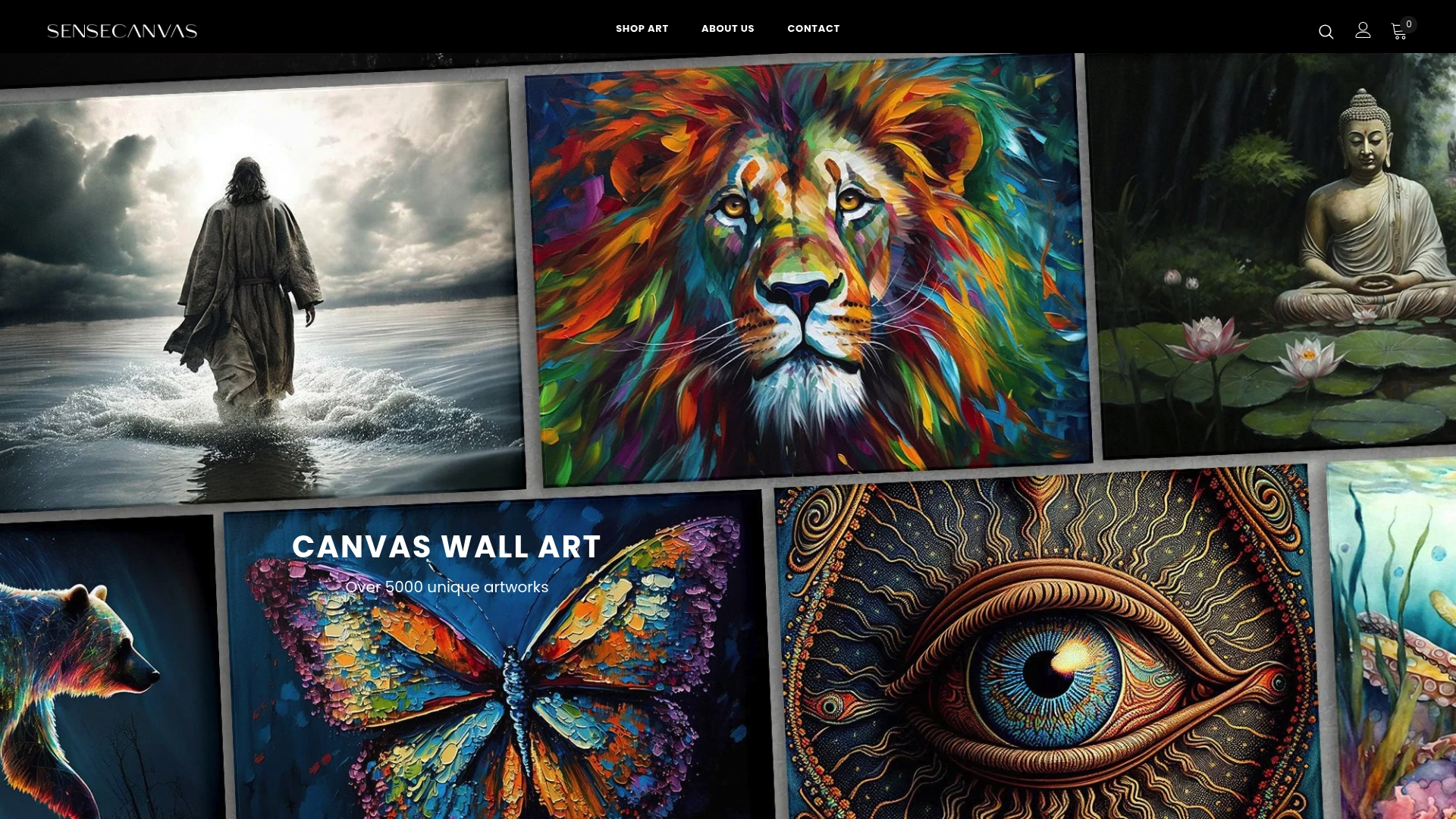
Sensecanvas produces custom canvas wall art with sizing options, color customization, and a catalog of over 15,000 designs starting at $85. For a monogram canvas, the process is direct: choose your size, select or customize a design, and place your order online. The family name and personalized text styles on the site translate well to monogram formats, with bold color options and canvas textures that make initials pop on a wall.
What sets Sensecanvas apart from a generic print shop is the range of sizes and the quality of the canvas finish. You are not uploading a file and hoping for the best. You are choosing from a curated set of designs built for canvas reproduction, with the option to customize dimensions to fit your space.
Browse the full collection and place a custom order at sensecanvas.com.
Useful sources and tools
- Monogram Maker | Free Online Monogram Generator SVG PDF PNG
- Monogram and Personalization | Uptown Screen Printing
- Free Online Monogram Maker: Custom Font Generator
- Free Monogram Maker | Customize Online | Instant Download
- Free Custom Monogram Maker | Create Personalized Monograms Online
- Screen Printing & Embroidery Services | Custom Monogram Shoppe Long Island
- Monogram Center - Home